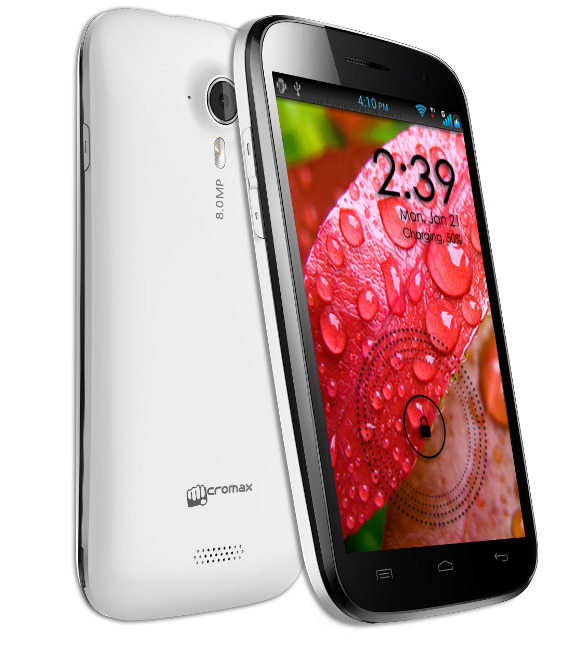
Micromax has rolled out the Jelly Bean 4.2 update for the Canvas HD (A116) handset. The update adds OTA features and users will also be able to move / install apps on external storage.
Some users had sent email to Micromax about the release and they replied back saying that there is no update for A116. I think it will take some time for MMX to move the update to the service centres and probably many of the MMX staff and service centres are not aware of it.
I had also tried the MegaHD and Lewa custom rom on A116. I have installed this latest ROM and its working perfectly well. I could even move apps on external storage the feature that was missing on 4.1, and now can even play the NOVA 3 game on A116. The ROM is available on http://moulnisky.com/index.php?dir=Micromax/A116/ (You can use DAP – Download Accelerator Plus).
This is not an official MMX FTP site but the ROM seems to be genuine.
How to update Micromax A116 to Jelly Bean 4.2
Before you proceed do it at your own risk. This process may damage the handset and will void the warranty. So, proceed at your own risk.
Before you proceed do it at your own risk. This process may damage the handset and will void the warranty. So, proceed at your own risk.

Follow the step and also watch the video at the end.
- Download and unzip the file S9201_4.2_MP_F3F8_B1_IN_MMX_09_FLASHER_USER.rar, so you get the files in S9201_4.2_MP_F3F8_B1_IN_MMX_09_FLASHER_USER folder.
- You also need the SP_Flash_Tool_v3.1304.0.119.rar and unzip it so you have the files in SP_Flash_Tool_v3.1304.0.119 folder.
- Switch off the A116 phone and remove the battery, SIMs and SD card. Then put the battery back but do not switch on the phone.
- Run Flash tool exe from the SP_Flash_Tool_v3.1304.0.119 folder and select the scatter loading option and point to the scatter file found in S9201_4.2_MP_F3F8_B1_IN_MMX_09_FLASHER_USER folder.
- Then hit the download button and connect the phone that is still in the switched off state.
- You will see some activity (%) wait unit it reaches 100%. Then close the OK box and disconnect the phone. ( In case there is no activity either the drivers are not properly installed or you can try disconnecting the phone, remove battery and insert it again (do not start the phone), just connect and see if that works).
- Now switch on the phone it will take some time for the first run and follow the process.
- Once you get the home screen switch off the phone and then put in the SIM and SD card, switch it on back and you will be running the 4.2 on A116.
After the update
- Phone storage = 0.91 GB free.
- You can move apps / install apps to external storage. Nova 3 game works.
- 598MB free RAM of 1GB.
- Quadrant score = 4055
- Nenamark = 37fps. 2nd time it was 46.1 fps.
- Antutu = 13202.
- New app Micromax game Hub and Software update (OTA) powered by Micromax.
- Color reproduction not much of an improvement.
Those who have installed the ROM can give their user reviews and rating. You need to register to be able to do so.